
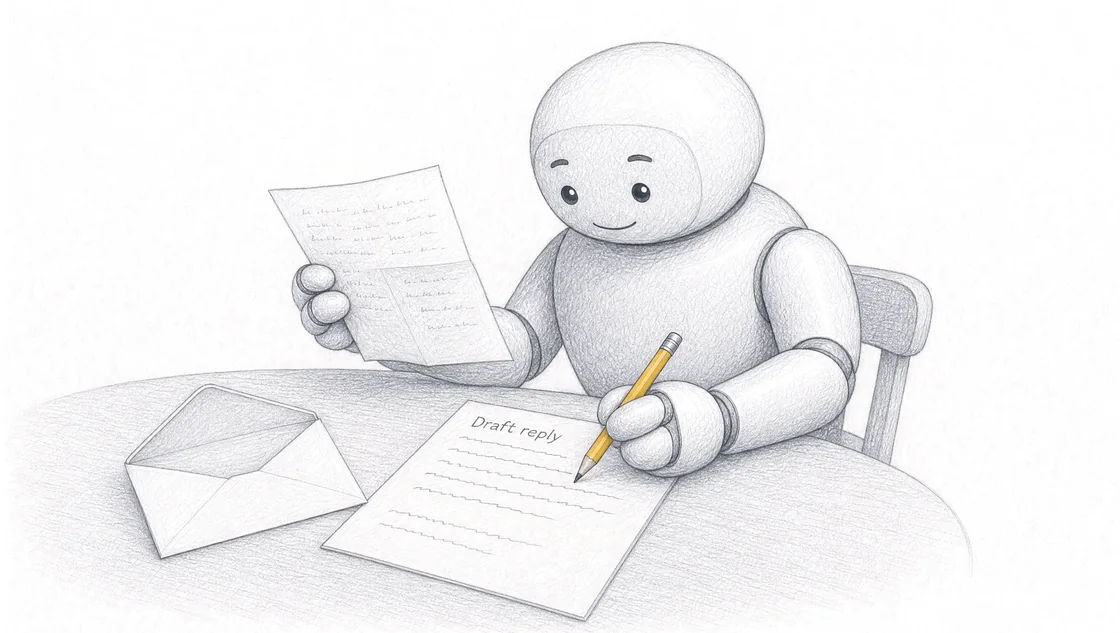
An AI workflow for customer follow-up should be allowed to restate what your business has already agreed, and nothing else. Job status you've approved, the next action you committed to, dates already in writing, figures already quoted: all fair game for a draft. A new price, a new deadline, a new inclusion, a new offer: never, because the message goes out under your name and becomes your business's own statement.
Almost every guide to this subject is about send timing. Timing is the solved part.
TL;DR
- The rules block is the load-bearing part of a follow-up workflow. The prompt wording is not.
- A draft may restate. Only a person may commit. Those two things are separable, and keeping them apart is the whole discipline.
- The moment a follow-up starts promoting something the customer didn't ask about, it changes what kind of message you just sent under the Spam Act 2003, and it picks up consent and unsubscribe obligations it didn't have a sentence earlier.
- Restating a price restates an offer. An accepted quote is a contract, so a figure repeated in a chase message is not decoration.
- A statement about the future needs reasonable grounds at the moment it's made. So the workflow's job on a date it can't verify is to flag the gap, not to smooth it over.
- Unattended sending is the last thing you add to a follow-up workflow, not the first.
- Follow-up is its own workflow. It isn't inbox triage and it isn't onboarding.
What can an AI follow-up draft safely state?
Anything your business has already put in writing, plus the plain facts of where the job currently sits. That's a larger permitted set than owners expect.
A draft can restate the quoted figure, the scope you quoted on, the date the quote was issued and the date it expires. It can state that the materials have arrived, that the approval came through, that the job is booked for the date you already confirmed, or that you're waiting on the customer's decision. It can answer the question the customer actually asked, using the answer you already gave. It can ask for a decision.
The reason that set is safe is that none of it is new. The message is a faithful restatement of a position your business already holds. Under Australian spam law that distinction has a name. A message consisting of no more than factual information, with or without directly related comment, plus your name, logo and contact details, is a designated commercial electronic message. 1 Designated messages are exempt from the rule against sending unsolicited commercial messages and from the functional-unsubscribe requirement, while still having to carry accurate information about who authorised them. 1
That is a fair description of a good follow-up: factual information about a job, directly related comment, and your contact details at the bottom. Read the other way, it also describes the line you shouldn't cross.
What must a follow-up draft never introduce?
Anything the business hasn't already decided. There are four categories, and the first one catches almost everybody.
A new or adjusted price. Not a discount to close it, not a rounded number, not "around $4,000" when the quote said $4,280. Price accuracy here isn't a courtesy. Information a business gives about its products or services must be accurate, truthful and based on reasonable grounds, and the ACCC states that this rule applies to any communication by a business, including a quotation and any information provided by staff, whether verbally or in writing. 2 A draft you approve and send is information provided by your business. The ACCC also lists price among the things a business must not make false claims about, and notes that it makes no difference whether a business intended to mislead. 2
A new deadline. "We'll have it done by Friday" is a claim about a future matter, and a business making one must have reasonable grounds for it at the time the claim is made, with the burden of showing those grounds sitting on the business. 2 An assistant working from a quote and a site note has no way of knowing whether Friday is achievable. It will still write Friday if your rules allow it to.
A new inclusion or a change of scope. Throwing in the extra vent, waiving the call-out fee, covering the disposal. Each one is a variation to what was agreed, and it's an expensive way to be accommodating.
A new offer. The bolt-on, the seasonal special, the second service. This one carries a consequence past goodwill, and it gets its own section below.
There's a fifth thing to keep out, and it's quieter than the others. A draft should never silently omit a material change. Failing to disclose information can itself be misleading, particularly where a business gives a customer some information but leaves out important details relevant to their decision. 2 If the timeline has slipped, a cheerful check-in that doesn't mention the slip is not a neutral message. Businesses are expected to keep customers updated when things change, for instance when a product can no longer be supplied in the timeframe already given. 2
Adding a new offer changes what kind of message you just sent
This is the part that surprises people, and it's specific to Australia. Published guidance on AI follow-up that addresses compliance at all tends to cover TCPA and CAN-SPAM, 3 which are United States statutes and don't govern a message sent from Mooloolaba to a customer in Maroochydore.
Here's what does. An electronic message is a commercial electronic message if, having regard to its content, the way it's presented, and the content reachable through any links or contact details in it, it would be concluded that the purpose, or one of the purposes, of the message is to offer to supply goods or services, or to advertise or promote goods or services or a supplier of them. 4
One of the purposes. So a follow-up on an accepted quote reading "your sheeting arrives Thursday, we'll confirm the start time Wednesday" has a single purpose and stays factual. Add "and while we're out there, we're doing gutter guard installs at a discount this month" and one of the purposes of that message is now to promote goods or services. It is a commercial electronic message, and the rest of the scheme applies to it: consent before sending, and a functional unsubscribe facility.
Consent is where this gets awkward for a business that thought it was being friendly. Express consent means someone knowingly accepts they'll receive marketing from you, by filling in a form, ticking a box, or agreeing over the phone or face to face. 5 Inferred consent is narrower than most owners assume. It usually applies where a person has a provable, ongoing relationship with your business and the marketing is directly related to that relationship, and the ACMA is explicit that it does not cover sending messages after someone has just bought something from your business. 5 Under the Spam Act it's up to you to prove you have consent. 5
The rule that falls out of this is easy to state and easy to enforce in a rules block. The follow-up talks about the job. If you want to sell something else, that's a separate message, sent to people who consented to receive it, carrying an unsubscribe option that honours a request within five working days and stays functional for at least 30 days after sending. 5
I'd keep the two apart regardless of the law. A chase message that turns into an ad is a worse chase message.
Why does restating a price carry more weight than it looks?
Because a quote isn't a suggestion. Business Queensland puts it plainly: if the customer proceeds, the quote forms part of a legally binding contract between you and the customer, and if something goes wrong and the customer takes legal action, the quote is the key document taken into consideration. 6 An estimate sits differently. Unlike quotes, estimates are not legally binding, and usually carry a disclaimer that the price is subject to change. 6
Now lay a follow-up on top of that. A message restating the quoted figure confirms an existing offer. A message stating a different figure has either made a mistake about a contract or made a fresh offer, and the customer gets to choose which reading suits them. It's also why expiry dates matter: without one, you may have to honour a quote that loses you money. 6 If your quotes carry expiry dates, your follow-ups should carry them too, and your rules block should require it.
The same care runs in both directions. Chasing an unaccepted quote, the draft must not imply the job is booked. Confirming an accepted one, it must not re-open the price.
On timing, where most advice starts and stops: Business Queensland's guidance for small businesses is to reach out 7 to 14 days after submitting a quote and ask whether the customer had questions or has reached a decision. 6 That's a sound interval, it comes from a state government small-business page rather than a vendor's engagement data, and once the rules block exists you can hit it every time without thinking about it. Overloop, which sells follow-up sequencing software, reports reply rates lifting 18 to 30% against rule-based timing. 7 Treat that as a vendor's figure about its own category, measured on high-volume outbound sequences. It describes when messages land, not whether they were right.
How do you write the rules block for a follow-up?
In your own words, as a list of permissions and prohibitions, before you write anything else. If you haven't built a workflow before, the five inputs behind one are set out in how to write a five-input AI prompt: Context, Task, Source, Rules and Output. Rules is the input this article is really about, and the page on structuring the rules layer covers how to shape it for any task. For follow-up, four rules carry most of the weight.
Rule one: restate, don't originate. Write it as a permitted list, because a prohibition list is always incomplete. Something close to: you may state the quoted total and its expiry date, the scope as quoted, the current job status from the notes supplied, and the next action already agreed. You may not state any other figure, date, inclusion or commitment.
Rule two: flag, don't fill. Where the source material doesn't contain something the message needs, the draft names the gap instead of producing a plausible sentence. "I don't have a confirmed start date in the notes provided. Confirm it and I'll include it." A flag costs you ten seconds. A guessed date costs a phone call and possibly a variation.
Rule three: no new offer. One line, and the section above is why it's there.
Rule four: identify the business properly. Legal or trading name and correct contact details, and under the spam rules that information has to stay correct for at least 30 days after you send the message. 5
I write rules before the task deliberately. When we built AI workflows at Searchmaxxed for preparing custom proposals, the rules took the real thinking, because a proposal is a document whose entire job is to state a price. Drafting stopped being the hard part early. Deciding what the document was permitted to assert was the work.
The source material decides what the draft can be right about
A follow-up draft can only be accurate about the facts you put in front of it. That reads as obvious, and it's the reason most follow-up workflows quietly fail.
Published guides frame missed follow-ups as a discipline problem: the rep gave up after one attempt, the owner got busy. In a small business it's usually a retrieval problem. The quote sits in the accounting software, the site notes are in a photo on someone's phone, the customer's last question is three levels deep in a thread, and the person best placed to write the message is the one who wasn't there. Writing message four means reassembling all of it first, so it waits.
This is the shape of problem I worked on before this business existed. When we helped automate internal processes at Radiant Roof Repairs with AI, the interesting part was never the writing. It was that work moves between roles, and whoever holds the next action often doesn't hold the context. It's the same reason I'd start AI training for a roofing business with internal handovers rather than customer-facing copy. The pattern turned up again in the AI automation we did for enquiries and administration at Glen House Homoeopathy. Enquiries arrive, get answered, and the record of what was said has to end up somewhere the next person can reach.
So before writing the workflow, decide what belongs in the source block for one specific message. For a quote chase: the quote itself with figures and expiry, the customer's last message in their own words with its date, the current job status in one line, and the answer to any question they left open. That's enough. Background the customer never asked for makes the draft longer and the check harder.
There's a second consequence, and it's the encouraging one. Because you assemble the source block yourself, you can see exactly what the assistant knows. The platforms in this category sell memory as a feature, keeping context between touches so a follow-up builds on the last exchange instead of starting over. 8 That's genuinely valuable at volume, and it also means the memory lives somewhere you can't read. In a workflow you write, the memory is a block of text you pasted in. Slower, and completely inspectable.
What does this look like on a quote that's gone quiet?
Here's the whole thing on one message. The example is illustrative, not a client job.
You quoted $4,280 including GST on 14 August to replace a section of roof sheeting, valid for 30 days. On 18 August the customer asked whether the price covered removing the old sheets. You replied that it did. Nothing since. It's now 9 September.
Source: the quote, with total, scope, issue date and 13 September expiry. The customer's 18 August question and your answer. One line of status: not accepted, no work scheduled, quote expires in four days.
Task: draft one email to this customer asking whether they've reached a decision on the quote issued 14 August.
Rules: state only the quoted total, the quoted scope, the expiry date and the confirmed answer about removal. Do not offer a discount, an extension or an alternative scope. Do not imply the job is booked. If a fact isn't in the source, flag it instead of writing it. Sign off as the business with contact details.
Output: subject line, greeting, one line referring to their removal question, the decision request, the expiry date, sign-off. Under 150 words.
What comes back should say the quote was $4,280 including GST, that removal of the old sheets is included as confirmed on 18 August, that the quote expires on 13 September, and ask whether they'd like to proceed. What it must not say is that you can hold the price past the 13th, or that you could squeeze them in next week. If the customer wants either of those, you decide, and then you say so yourself.
Notice how much of that draft was settled before the assistant ran at all.
Who approves the draft, and what are they actually checking?
The person who carries the consequence of the message, which in a small business is usually the owner or whoever owns the job. The check takes under a minute once you know what you're looking for. Even one of the platforms selling automated sending in this category puts it plainly: human review is recommended before sending. 9
Check four things against the source material, in this order: figures, dates, commitments, omissions. Recalculate any total. Confirm every date appears in your source and not only in the draft. Read each sentence that sounds like a promise and ask whether you actually made it. Then ask what's missing that the customer needs to know. The general method is set out in how to check AI output; for follow-up, that last question catches the most.
When a draft states something your source doesn't support, don't quietly fix the sentence and send. Fix the rule, then run it again. A rules block gets noticeably sharper about five drafts in, and after that it mostly stops producing the same failure.
This division of labour is the thing I'd most like a reader to take from the page, and it isn't a limitation of the technology. It's a design decision you make. An agent can retrieve context, prepare work and revise it without being authorised to publish or transact. The workflow that produced this article runs that way: it reads the business inputs, the research and the author's voice profile, returns a draft with its sources and its own quality notes, and leaves the decision to publish with a person. None of that is a compromise. Drafting is delegated and committing isn't, because they're different jobs.
Where sign-off gets more complicated, with several people and several kinds of output, which AI actions have to stop for a human is the next thing to read.
Follow-up is not enquiry triage, and it is not onboarding
Three adjacent jobs get pushed into one workflow, and the result does none of them well.
Enquiry triage happens before there's a relationship. Something arrived, it needs sorting, answering or routing, and some of it has been sitting there unanswered for weeks. If that's the problem in front of you, AI workflows for business enquiries owns it, including the audit of what never got a reply.
Follow-up is this page. There's an existing conversation and a position your business already holds, and the job is to move it forward without changing it.
Onboarding starts after the yes: the welcome pack, the information request, the what-happens-next, each of which has to agree with what was actually sold. That's AI workflows for customer onboarding.
Keep them separate because their rules blocks genuinely differ. Triage can afford to be generous, since sorting something wrongly is cheap to correct. Follow-up has to be conservative, because it speaks into a live commercial position. Onboarding has to be faithful to a signed document. One combined workflow inherits the loosest rules of the three.
Where can you build and test a follow-up workflow?
At our public Sunshine Coast workshop, or at your own workplace with your team.
The public session runs a full day, in person, at the Avani Mooloolaba Beach Hotel, The Cove room, in Mooloolaba. It's A$495 excluding GST per person, capped at 15 paid attendees. You bring a laptop, a charger and the jobs your business repeats with a safe example, then spend the session building and testing a workflow on that task with hands-on help, and you keep the written workflow you build. The next date is Wednesday 7 October 2026, and the public Sunshine Coast workshop page is where to register now.
Follow-up is a good task to bring, for a reason specific to this subject. The rules block is easier to write with someone arguing about it. What you may state and what you must never introduce are judgement calls about your own business, and they settle faster out loud than on a screen.
For a team, private onsite AI training runs at your workplace, scoped around your team's tasks, location and experience, with a fixed quote after we've talked it through. Team size, session length and travel determine that quote. Sessions suit roughly 4 to 20 people, and larger teams can be split across sessions. That format fits follow-up particularly well, because the source material is normally spread across three roles: the person who quoted, the person on site, and the person who writes the message.
If what you want is the system built and connected for you rather than your team learning to build it, that's available from us as well. It's a separate engagement with its own scope and price, so start with an enquiry and we'll work out which of the two you're actually after.
Frequently asked questions
Can a follow-up workflow send the message without me reading it?
It can, and it's the last capability to add rather than the first. Unattended sending is defensible once three conditions hold: the message class is narrow enough that every sentence comes from a field you control, the rules block has produced a long run of drafts with no commitment errors, and the consequence of a wrong message in that class is small. A booking reminder that restates a confirmed date can meet that bar. A reply to a customer's question about scope will not, because the answer is written fresh each time. Start with a draft you read, and earn the send.
Can the draft mention a date I discussed but never confirmed?
No. A date you discussed is not a date you agreed, and a follow-up stating it turns a conversation into a commitment your customer can reasonably rely on. This is what the flag rule is for: the draft should tell you the date is missing from the source and wait. If you want the date in the message, confirm it first, then put it in the source block.
Is it safer to send nothing than to send a draft that might be wrong?
No, and this is the trap that keeps quotes unanswered. Silence carries its own exposure, because failing to disclose can be misleading when a customer is waiting on information relevant to their decision, and businesses are expected to keep customers updated when circumstances change. 2 A short factual message that names what you don't yet know is a better position than a three-week gap. The workflow makes that message cheap enough to actually send.
How do AI tools remember what a customer said last time?
Commercial platforms carry context between touches, so a follow-up references what the customer said earlier instead of starting from nothing. 8 In a workflow you write yourself there's no hidden memory at all. You supply the history in the source block, which means the drafting is slower and the contents are fully visible to you. For follow-up specifically that visibility is what lets you check a figure against its origin rather than against the assistant's recollection.
What are some examples of AI workflows in a small business?
Within follow-up alone: chasing a decision on an issued quote, confirming a booked job the week before, answering a repeated scope question, and telling a customer about a delay before they ask. Each is one workflow with its own rules, not one workflow with a mode switch. Beyond follow-up, the same five-input shape covers quoting, enquiry replies, recurring reports and internal handover notes. The pattern holds; the rules change per task.
How can AI improve customer service in a small business?
Mostly through consistency and reach rather than cleverness. A written workflow means the reply reads the same whoever is on the tools that day, references what the customer actually said, and gets sent in hours instead of a fortnight. It also removes the excuse for not writing a difficult message, because the awkward "we're running late" note is exactly the one that never gets written by hand. What AI doesn't improve is your judgement about what to promise, which is the part customers judge you on.
Which AI tools should I use for customer follow-up?
Start with an assistant you already have and your own notes, because the instructions are the asset and they'll move between tools. The tool question becomes real when sending volume, the number of channels or the routing pass what you can check by hand. The category itself is fragmented: one product captures, another sequences, another enriches records, and small businesses often end up paying for several to cover the channels their customers use. 8 Which one fits depends on your channel mix and whether you need sending or only drafting. One word of warning on research: of the ranked roundups I read while writing this page, most were published by a company that appears in the list.
Do I need a CRM to run a follow-up workflow?
No. You need the history for one customer in one place at the moment you draft, which can be a quote, an email thread and two lines you typed. A CRM helps when the number of open conversations exceeds what you can hold, and it helps more once several people need the same view of a job. It doesn't change the rules block. A business with a full CRM and no rules block will still send a draft that invents a delivery date.
Who is responsible if a detail in the draft is wrong?
Your business is. Information a business provides about its products or services has to be accurate, truthful and based on reasonable grounds, and that rule reaches any communication by the business, including information provided by staff verbally or in writing. 2 Whether a human or an assistant composed the sentence doesn't change who said it, and it makes no difference whether there was any intention to mislead. 2 That's the practical case for the approval step: the person who carries the consequence should be the person who releases the message. For anything with real legal or financial exposure, get your own advice on your specific situation.
Sources
- Spam Act 2003 (Cth), Schedule 1, Designated commercial electronic messages, clauses 1 and 2https://www.legislation.gov.au/C2004A01214/latest/text
- False or misleading claimshttps://www.accc.gov.au/consumers/advertising-and-promotions/false-or-misleading-claims
- Best Practices for AI-Powered Lead Follow-Uphttps://www.myaifrontdesk.com/blogs/ai-powered-lead-follow-up-best-practices
- Spam Act 2003 (Cth), section 6, Commercial electronic messageshttps://www.legislation.gov.au/C2004A01214/latest/text
- Avoid sending spamhttps://www.acma.gov.au/avoid-sending-spam
- Preparing a business quotehttps://www.business.qld.gov.au/running-business/marketing-sales/sales/preparing-business-quote
- AI Follow-Up Scheduling for Sales Teamshttps://overloop.com/blog/how-ai-follow-up-scheduling-boosts-sales-efficiency
- 10 Best AI Tools for Lead Capture and Follow-Up in 2026: Reviewed & Comparedhttps://www.vellum.ai/blog/best-ai-tools-for-lead-capture-and-follow-up
- AI Lead Follow-Up: How It Works, Benefits, and Best Toolshttps://www.clay.com/blog/ai-lead-follow-up