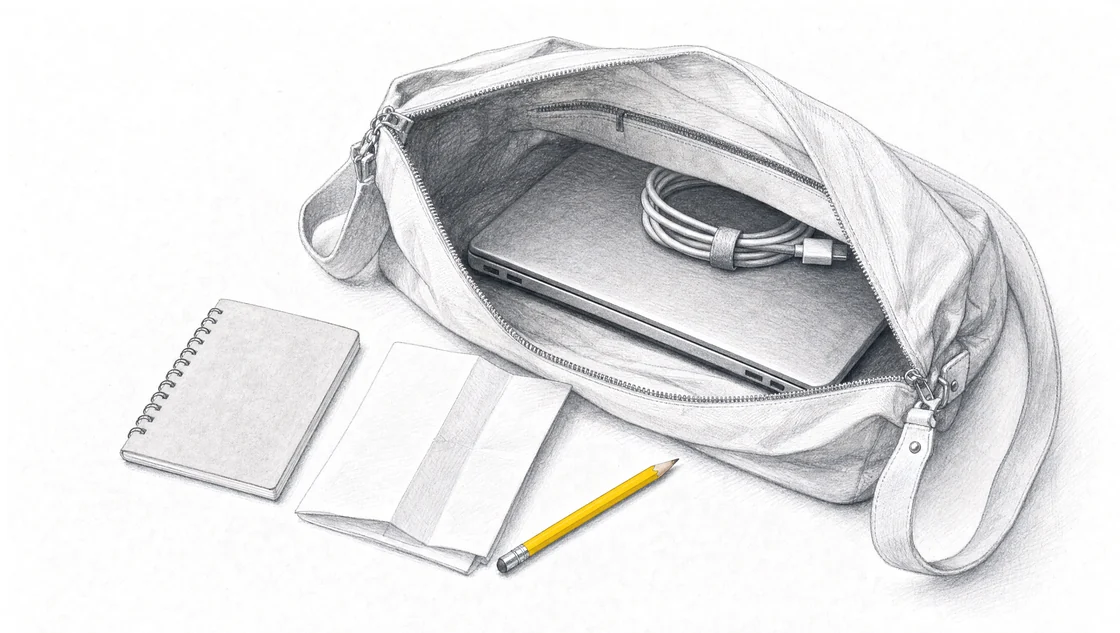
Bring your laptop, charger and real examples of the work you want AI to handle. Choose work whose result you know how to check.
Bring work you can finish and check.
Pick a specific piece of work: a quote from one site visit, a reply to one customer question or a weekly update for one property. Bring the information needed for that task.
If the job includes several stages, choose the drafting step first. You can build the instructions for that step without connecting every system in your business.
Match the task to its source.
A customer quote
Bring safe site notes, measurements, your current price list and the quote format you normally use.
A customer reply
Bring the question, the approved information that answers it and an example of your usual tone.
A weekly report
Bring the reporting period, the figures and notes for that period, and your report headings.
Use fictional or redacted information that preserves the shape of the task. Remove customer and patient identifiers, account details and confidential business information. Use fictional details if a person could still be identified after redaction.
Choose work you understand well enough to review. Prices, legal commitments, clinical decisions and safety decisions still need the responsible person’s approval.
Your workshop packing checklist.
Keep the source material and your example output easy to find on the laptop you’ll use during the session.
Bring a laptop, its charger, the jobs your business repeats, the source material that task needs, and a version of a real example you're comfortable opening in a room full of other business owners. That last one is where people come unstuck, so most of this page is about it. The rest fits in a backpack.
TL;DR
The task you choose decides everything else you pack. Pick one that comes back at least weekly, ends in a document or a message you already write by hand, and that you're allowed to sign off yourself.
A good example is an ordinary job, complete, with the version you actually sent attached to it. The two ways people get this wrong are bringing their hardest job ever, or stripping a real one back so far that nobody can tell whether the draft is right.
If the real job carries customer or client information, prepare a redacted copy the night before. Keep the list of what you took out, because that list becomes rules in your prompt.
Removing the name is the first step of redaction, not the whole of it. In a small local market, the combination of details left behind can still identify the customer.
Bring the material the task needs to be correct: the price list, the template, the approved wording, the numbers. Not your whole operations manual.
Do not pre-build the workflow. Building and testing it is what the full day is for.
What do you actually pack?
Seven things, and none of them are exotic.
Bring
Why
A laptop
You'll be moving text between a document and a browser for hours. A keyboard and two windows side by side make that faster than a tablet does.
The charger
A full day of typing into a browser flattens most batteries.
An AI account, already signed in
Sign in the night before and check it still works. Sorting out a locked account on the day costs you session time.
Using AI across your business
Named specifically: the quote after a site visit, not "quoting".
A safe example of that task
One real job, prepared so you can open it in a room. This is where the ten minutes of preparation go.
The source material that task needs
Price list, template, approved wording, the facts a model can't guess.
Something to write on
You'll want to note the rules you add as you find them.
If your business has a position on which AI tools staff may use, settle it before the day rather than in the room. A team AI use policy decides that question once instead of every time somebody opens a new tab.
One thing to check if you've booked with someone other than us: sessions differ, so read your own provider's list. AI workshops are organised in various ways depending on the provider and what you've asked for. 1 A university short course might ask for a fully charged computer with wifi, earphones and a working free Google account, because part of the day is independent video watching. 2 A 60-minute session built around a short conversation with a chatbot 3 needs nothing like the preparation a full day on your own work does.
The public session we run is a full day, in person at Avani Mooloolaba Beach Hotel, in The Cove room at Mooloolaba. A seat is A$495 excluding GST per person, and we cap the room at 15 paid attendees so nobody spends the afternoon waiting for a hand. The next date is Wednesday 7 October 2026, and you can register now on the full-day public workshop page.
Which task should you bring?
One that passes three tests: it repeats, it produces something, and you can sign it off.
It repeats. At least weekly, ideally more. A task you do twice a year won't pay back the instructions you write for it, and you won't remember the workflow by the time it comes round again.
It produces something. A quote, a reply, a report, a listing description, a file note, a proposal section. Drafting work is where you can see the result and judge it on the spot. "Clean up our customer database" and "make our admin more efficient" are goals, not tasks, and a goal can't be tested in an afternoon.
You can sign it off. If the output has to go past two other people before anyone knows whether it's right, you'll leave without knowing whether it worked. Bring the work that stops at your desk.
Most businesses have five or six candidates once they look. The quote written up after a site visit. The reply to the "do you service my area" enquiry that arrives eleven times a week. The Monday morning status update to a client. The follow-up email after a discovery call. The monthly report that takes an hour and says almost the same thing it said last month. If you're torn between two, there's a longer method for choosing which task to automate first, but the short version is: pick the one you resent most.
And if your task has five stages, bring the drafting stage. You can write and test instructions for one stage without connecting a single system to anything.
What makes a good example, and what makes a poor one?
A good example is the most ordinary job you did last week, complete, including what you actually sent back.
A good example
A poor example
Why it matters
A job you did last week
The job that went wrong last year
You're building for the normal case. The nightmare job teaches the workflow the wrong lesson.
One instance
A folder of twelve
The pattern comes out of the instructions, not out of volume. Twelve examples means eleven you never open.
The request, your notes, the numbers, and the reply you sent
The request only
Without the sent version you have nothing to compare the draft against, so you end up grading on instinct.
Ordinary difficulty
Your most complicated project
Build for the work that fills your week, then handle the exceptions by hand, as you do now.
Something you can judge in five minutes
Something only your accountant can verify
You need to be able to say "that number is wrong" while you're still sitting in the room.
Text you can edit
A photo of a handwritten measure-up
You'll be revising the input a dozen times. Typed beats scanned for that.
There are two ways this goes wrong, and they pull in opposite directions, which is why both need naming.
The first is bringing your hardest job. It's tempting, because if AI can handle that, it can handle anything. But the instructions you end up with are shaped by the exception, and they'll over-explain the ordinary jobs that were never complicated in the first place. Build for the middle of your week.
The second is over-redaction, and I think it's the more common one. Someone takes a real enquiry, removes the name, the address, the property details, the budget and the timeline, and arrives with: "Customer asked about a service. Please reply." A workflow built on that produces a draft that could go to anybody, which means you can't tell whether it's right, which means the test told you nothing. A safe example still has to be complete enough to be graded.
How do you build a safe example when the real job has customer details in it?
Copy one real job into a blank document, take out what identifies the person, keep everything that makes the job hard, and write down what you removed. It takes about ten minutes.
Copy, don't carry. Paste the job into a new plain text or Word file with a boring name. That way you never open your CRM, your client folder or your accounting file in a room full of people you met that morning, and the file you upload is the file you chose rather than whatever else was on that screen.
Take out the direct identifiers. Full name, address, phone, email, account and invoice numbers, dates of birth, patient or matter references. Replace the name with a stand-in and keep it consistent all the way through, because if one line says "Sarah" and the next says "the customer" and a third says "S.W.", the draft comes back inconsistent and you'll blame the model for it.
Delete contact details rather than inventing fake ones. A made-up mobile number that survives into a sent message is worse than a blank, and blanks are what your rules are for.
Keep what makes the job the job. The quantities, the measurements, the real prices, the customer's actual wording including the typo, the question they asked that you couldn't answer, the measurement they didn't give you. Those are the parts the instructions have to handle. Round every price to a neat thousand and you've deleted the arithmetic you came to check.
Widen instead of blanking. "A two-storey house in a coastal suburb" keeps the constraints that matter, which are salt exposure, height and access, without keeping the street number. Location is usually a constraint on the work, not an identifier, until you write it to the letterbox.
Check where details hide. The file name. The document footer and the letterhead template. The email signature, and the quoted chain sitting underneath it. Tracked changes and comments. The second tab of the spreadsheet. The attached photo.
Then read it back cold, as if you'd found it on a table in the venue. Removing the name is where de-identification starts rather than where it finishes: Australia's privacy regulator describes the process as two steps, the removal of direct identifiers and then the removal or alteration of other information that could be used to re-identify someone, and notes that removing name and address alone may not be enough. 4 That matters more here than it would in a capital city. On the Sunshine Coast, "the two-storey place on the corner, tile roof, insurance job, works at the surf club" is a name. Whether the Privacy Act binds your particular business is a separate question for your own advice, but the test in the room is simple enough: could anyone here work out who this is?
Finally, keep the removal list. Two lines at the bottom of the same file: removed: customer name, street address, mobile, invoice number. That list earns its keep twice. It tells you exactly what to put back when you run the workflow on a live job, and it converts straight into rules, one of the five inputs every prompt needs: the customer's name and address are supplied with each job, never invent them, and flag them if they're missing.
For health, legal, financial or children's information, take the more cautious road. The same regulator recommends as a matter of best practice that organisations do not enter personal information, and particularly sensitive information, into publicly available generative AI tools. 5 Build a composite instead: the same shape of job, the same awkward details, an invented person. You'll write the same instructions and they'll run on the real file afterwards, on your own systems, under your own rules. There's more on preparing safe AI training data if your whole business runs on information like that.
What source material should come with the task?
Whatever the task needs to be correct. Not everything about your business.
For a quote, that's the current price list or rate card, the template you send, the inclusions and exclusions you're not free to reword, and your lead times. For a customer reply, it's your service area, what you don't do, and the two or three answers you give constantly. For a report, it's last month's version and the numbers this month's version has to carry.
Two pages of your own approved wording beats a sixty-page policy document, because you'll be checking the draft against it line by line. Pull out the part that governs the task.
Prepare those files before the day rather than typing context in the room, which is the same advice workshop facilitators give each other: it's often much more effective to prepare context-providing documents before the workshop, so participants can upload them rather than compose them live. 6 Keep the formats plain and test them yourself first, by uploading the file and asking the model to prove it can read it. 6 A PDF that turns into soup when it's uploaded is a twenty-minute detour, and you can find that out at home instead of in the room.
One more thing to bring, and people forget it: a finished output you'd be happy to send again. That's the target. Everything else is the route to it.
The one thing not to prepare
Don't build the workflow before you arrive.
If you turn up with a finished prompt you wrote alone on Sunday night, you'll spend the session defending it instead of testing it, and the testing is the part that's hard to do by yourself. The full day goes on naming the task, writing the instructions, running them on your example, finding the three things the draft gets wrong, and adding a rule for each one. That loop is the skill. There's a written version of it in how to build your first AI workflow if you want to see the shape of it in advance.
What you leave with is the written instructions and the example you tested them on, which means you can run the same thing on Tuesday's job. Run it, then check the output against your source material before it goes anywhere. When a draft misses the same thing twice, that's a missing rule, not bad luck.
I've built AI workflows on real business material a few times over now. We helped automate internal processes at Radiant Roof Repairs with AI, where I worked before I left to run Searchmaxxed and Sunshine Coast AI Workshops. In Searchmaxxed, my own business, we built AI workflows for blog creation, SEO and custom proposals. We used AI to automate SEO, enquiries and admin for Glen House Homoeopathy. My read across all of that: the instructions are the straightforward half. What the model gets to see, and in what shape, is the decision that determines whether the output is any good, and your example is that decision.
Bringing a team changes the preparation
If you're sending several people, agree on the tasks before anybody packs.
Two people working on the same task get further than two people working on two tasks, and the pair that works best is the person who does the job and the person who signs it off. That second person is the one who knows the rules nobody has written down. For the public workshop, each person needs their own seat, so a team of five is five seats in a room capped at 15.
Private onsite training runs at your workplace instead, scoped around your team's tasks, experience and location, with a fixed quote after we've talked it through. Sessions are scoped for roughly 4 to 20 people, and larger teams can be split across more than one. Everyone brings the laptop they'll use afterwards, and we confirm tool and account requirements during scoping rather than leaving you to guess. Private onsite AI training is the route for that.
The preparation shifts a little for a group, and preparing a team for AI training covers the part that has to happen before the day: one task per pair, one redacted example each, and a decision about who owns the finished workflow.
And if what you actually want is the system built and connected for you rather than your team learning to build it, say so in the enquiry. That's a separate engagement with its own scope and price, and we'd rather scope it properly than sell you a training day that was never the answer.
Frequently asked questions
What is done in an AI workshop?
In ours, a full day putting AI to work across your business. You name the task, write the instructions for it, run them on the example you brought, find what the draft gets wrong, and add a rule for each miss until the output is something you'd send. You leave with the written instructions and the tested example. Elsewhere the shape varies a lot: some sessions are an hour of guided chatbot practice, others are a full day across a team's whole tool stack, scoped on a call beforehand. 7
Do I need a paid AI subscription?
No. A free account is enough to write and test a workflow. Sign in before you arrive and check it works, because account trouble on the day costs you session time rather than anyone else's. If your business has already standardised on one tool, bring that one, so the instructions end up living where the work actually happens.
Can I bring an iPad instead of a laptop?
A laptop is what we ask for. You'll be moving text between a document and a browser repeatedly, editing the same paragraph five times, and a keyboard makes that considerably less painful. Some courses do accept a tablet as a fallback, 2 but if you own a laptop, bring the laptop.
What if I can't share anything from my business at all?
Build a composite. Invent a customer, then give them the same request, the same awkward gap in the information and the same numbers you deal with in real life. The instructions you write against it are the same instructions, and you run them on the real file later, on your own machine. Regulated work is the usual reason for this, and it works.
How long should the preparation take?
About half an hour. Ten minutes to settle on the task, ten to prepare the redacted example, ten to pull the source material into one folder. If it's stretching past an hour, that's a signal that the task is too big, and a smaller one will teach you more.
What if I forget my example?
You can write one from memory in the room, and it'll work. It costs you twenty minutes of the full day, which is the real argument for doing it the night before.
Should I bring a colleague?
If the task involves two people, yes: the one who does the work and the one who approves it. The approver carries rules that have never been written down, and those rules are half of what you're capturing. Each person needs their own seat at A$495 excluding GST, and the room holds 15 paid attendees, so a large team is usually better served by a private onsite session.
Is my example safe once I've removed the names?
Not automatically. The privacy regulator's guidance treats de-identification as two steps rather than one, and states that removing name, address or other direct identifiers alone may not be enough, because other information left in the file can still point back to the person. 4 In a small market that's a live risk: a job description with the suburb, the property type, the insurer and the trade in it can identify a household to anyone local. Widen the details that are constraints, delete the ones that are contact points, then read the file back and ask whether anyone in the room could name the customer.
Sources
How to Prepare for an AI Workshophttps://dac.digital/how-to-prepare-for-an-ai-workshop/
Student Pre-Workshop Preparation: Introduction to Artificial Intelligence and Machine Learning (2021 July GERRIC Student Programs)https://www.arts.unsw.edu.au/sites/default/files/documents/Introduction%20to%20AI%26ML%20-%20Student%20Pre-workshop%20Preparation%202021%20July.pdf
Exploring Pedagogic Uses of AI Workshop Kithttps://teachingcommons.stanford.edu/professional-development/workshops-programs/do-it-yourself-workshop-kits/exploring-pedagogic-uses
De-identification and the Privacy Acthttps://www.oaic.gov.au/privacy/privacy-guidance-for-organisations-and-government-agencies/handling-personal-information/de-identification-and-the-privacy-act
Guidance on privacy and the use of commercially available AI productshttps://www.oaic.gov.au/privacy/privacy-guidance-for-organisations-and-government-agencies/guidance-on-privacy-and-the-use-of-commercially-available-ai-products
4 Tips for Preparing AI-Enhanced Workshopshttps://www.nngroup.com/articles/preparing-ai-workshops/
1-Day Hands-On AI Training Workshop for Businesshttps://www.ssw.com.au/events/ai-workshop-essentials
Take one of the 15 seats.
Wednesday 7 October 2026, 9am to 4pm at Avani Mooloolaba Beach Hotel, The Cove room, Mooloolaba. A$495 excluding GST, added at checkout.
Registration takes under a minute. Three quick questions, then where to send your place. Pay on the spot to hold the seat, or pay from the link in your email after we have spoken. Registration stays open until the seats are taken or the workshop starts.