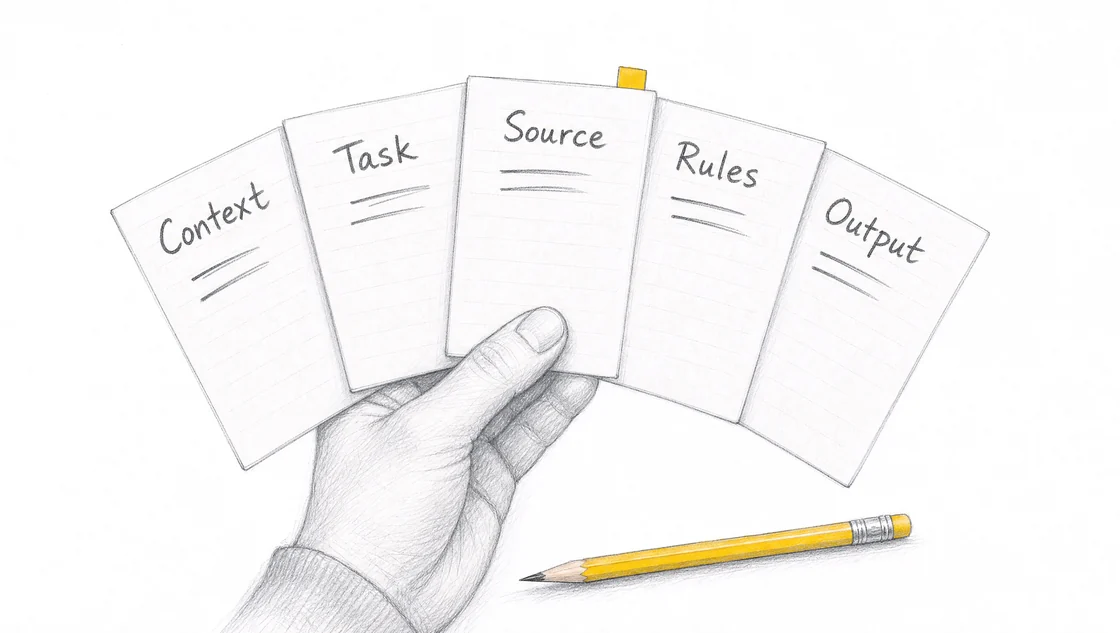
A five-input AI prompt gives the assistant your business context, the task, source material, rules and output format. Use it to turn a repeated job into instructions you can run again.
What are the five inputs?
The five inputs describe the job and give you a basis for checking the draft. Write them before adding your source material.
Context
Describe the business, customer and situation the draft needs to fit.
Task
Ask for one job, such as a customer reply or an itemised quote.
Source
Supply the notes, documents or approved facts the assistant should use.
Rules
State what to preserve, flag or leave out. Include your approval limits.
Output
Name the format and the information the finished draft needs to contain.
How do you use them for a quote?
Start with the site notes, measurements and price list you already use. Adapt the instruction below, then add a safe copy of that source material.
We’re a service business preparing a quote for a homeowner. Turn the supplied site notes into a draft quote. Use only these notes, measurements and the attached price list. Itemise labour and materials. Keep the supplied prices unchanged and flag missing information. Return a scope summary, itemised table, total including GST and questions for me to check.
Point to the unsupported claim. Supply the missing fact or ask the assistant to leave it as a question for you. Check the next draft for the same problem.
It ignores your usual format.
Provide the headings or a safe example of the finished document. Specify what belongs under each heading, then compare the new draft with that structure.
It gives the customer too much background.
State which question the reply needs to answer. Ask for the facts that resolve it and remove background the customer did not request.
What should you check before using the draft?
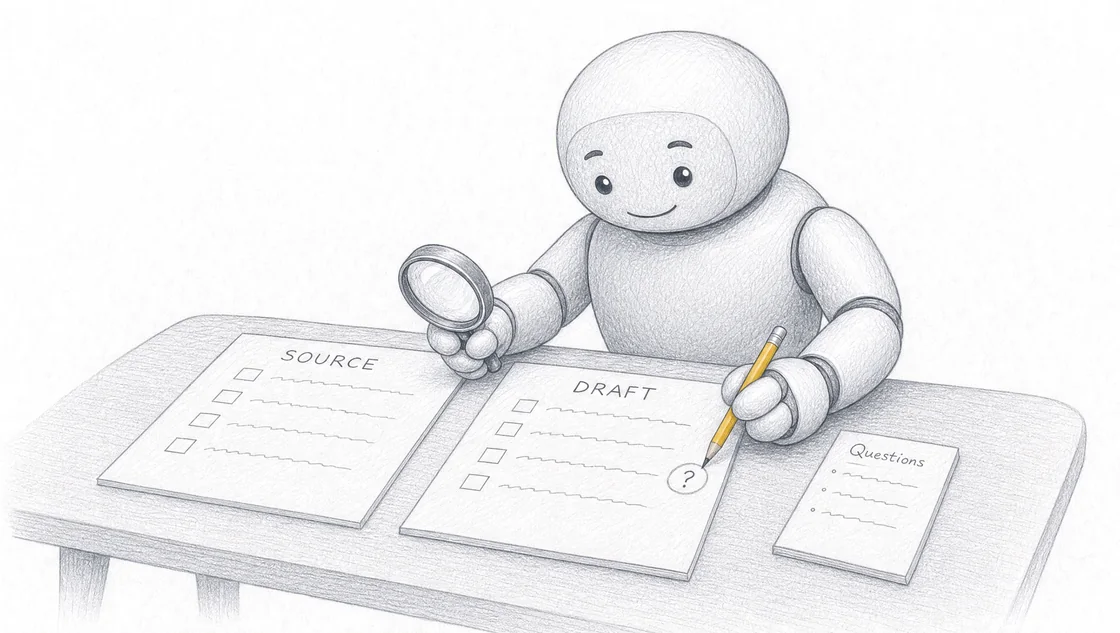
Compare names, dates, figures and claims with your source. Recalculate totals. Check that the draft answers the request and stays within your scope. The person responsible for the work approves the final version.
How do you reuse the prompt?
Save the instructions with a safe example of a checked result. For the next job, replace the source material rather than reusing the previous customer’s facts.
Update the rules when your prices, policies or document format change. Run a fresh example and check it before using the revised prompt on more work.
How to write a five-input AI prompt: Context, Task, Source, Rules and Output
Write five short inputs before you paste anything into the chat window. Context for the situation, Task for the job you want done, Source for the material the assistant is allowed to use, Rules for what it must and must not do, and Output for the shape the finished draft takes. Together they describe the job well enough for an assistant to draft it, and precisely enough for you to check what comes back. Most prompts that disappoint are missing their Rules.
TL;DR
The five inputs are Context, Task, Source, Rules and Output. Their real payoff is that the same five lines that produce the draft also give you the standard you check it against.
Rules carries the most weight and gets skipped the most. It has three jobs: bound the material, name what the assistant must refuse, and require it to name a missing fact instead of writing around it.
A gap the assistant smoothed over is the most expensive thing in a draft, because it reads as finished. A standing rule turns that gap into a visible question you can answer.
Ordinary prompting advice says tell a model what to do rather than what not to do. For business drafts, write most refusals as positive constraints tied to your own material, and keep the outright prohibition where a wrong answer costs you money.
Source is your approved material for this one job, not everything you own. Context is the situation, Source is the evidence, and mixing them is why prompts get long without getting better.
Start with one repeated job you already do well, test it on a safe example, then save the five inputs as a file so the next run starts from the same instructions rather than from your memory of what worked.
What are the five inputs?
The five inputs are Context, Task, Source, Rules and Output, written in that order as a short brief before the job starts.
Input
What it carries
The question it settles
Context
The business, the customer, the situation and who the draft is for
Who is this for, and what is going on?
Task
The one job the assistant performs
What exactly am I asking for?
Source
The notes, measurements, templates, prices and approved facts it may draw on
What is it allowed to use?
Rules
The limits, the refusals and the instruction to name anything missing
What must it never do, and what happens at a gap?
Output
The format and the information the finished draft has to contain
What does a finished version look like?
The order matters more than the labels. Context and Task tell the assistant what it is doing, so they come first. Source gives it something to work from. Rules constrain the work before it starts, which is the only point at which a constraint is cheap. Output describes the finished shape, so it sits last and reads as the handover.
None of this is a secret formula. Prompt quality has always come down to how you word the request, and the output you get hangs largely on that wording. 1 What the five inputs add is a written record of the request, which means you have something to hold the draft against later. A prompt you typed from memory produces a draft you can only judge on whether it sounds right. That is a much weaker test than it feels.
I also want to be direct about what this is not. Five written inputs are an AI workflow you run by hand. They are the first half of the job. Connecting that prompt to your inbox, your CRM or your job management system so it runs without you is a different piece of work, and it starts with the prompt being right.
Which task should your first five-input prompt cover?
Pick one job your business repeats and already knows how to do well. Something specific: a quote from one site visit, a reply to the question customers ask most, this week's update on one property.
The reason to choose a job you already do well is that you are the grader. If you cannot tell a good version from a passable one in thirty seconds, you have no way to know whether the prompt is working, and you will end up tuning wording rather than fixing the instructions. A task you do every week comes with an opinion already formed.
Keep it narrow at the start. If the job runs through several stages, take the drafting stage first and leave the rest alone. You can write instructions for one step without connecting a single system, and one step that works beats a whole process that half works. There is more on choosing which repeated task to start with if the shortlist in your head has four things on it.
The longer-term skill is not the wording. It is stating the problem clearly: its focus, its scope and its boundaries. 1 That is why the task you choose does more for the result than any phrase you add to the prompt.
How do you write the Context input?
Context describes the business, the customer and the situation the draft belongs to. Two or three sentences usually do it.
Assistants do not infer intent or nuance unless you supply the context yourself. 2 What they do instead is pick a plausible default, and the default is an average of everything they have read. An average reply to a customer complaint is polite, generic and slightly American. Yours is not.
So write the things that change the wording. Who the reader is and what they already know. What kind of business you are and how you sound. What has happened before this draft: a site visit, a phone call, a complaint, a renewal. What the draft is for, which is often not the same as what it says. A quote is a sales document. A follow-up after a missed appointment is a relationship repair. The assistant cannot tell the difference unless you state it.
Two habits keep Context short. First, write it for a competent new starter rather than a stranger, because you are describing the situation, not the whole company. Second, keep evidence out of it. Prices, measurements and policy wording belong in Source. Context that has swallowed the price list stops being context and starts being a document nobody reads, including the assistant.
How do you write the Task input?
Task names the one job you want done, in a sentence, using a verb.
"Turn the supplied site notes into a draft quote." "Draft a reply to this customer email." "Write this week's owner update from the attached notes." Instructional verbs do the work here: draft, turn, summarise, compare, list. Vague nouns do not. "Help me with the quote" is not a task, it is an opening.
One job per prompt. When people ask for three things at once, the assistant produces three mediocre things, because the second and third have no room. A complex job works better broken into steps you can refine one at a time. 2 That is also how you find out which step was actually the hard one.
There is a version of Task worth writing even when it feels obvious, and that is the purpose clause. "Draft a reply to this complaint so the customer knows what happens next and by when." The clause tells the assistant what to optimise when it has a choice, and it will have a choice in nearly every sentence.
How do you write the Source input?
Source supplies the notes, documents, measurements, templates and approved facts the assistant may draw on for this job, and nothing else.
Name each piece of material and then paste it in. "Use the site notes below, the measurements in the table and the attached price list." Naming matters because it lets your Rules refer to specific material later, and because it tells you what you forgot when the draft goes wrong.
The decision most people get wrong is scope. Source is not your document library. It is the approved material for this one job, chosen because it is current and because you would be comfortable seeing it quoted back at you. An old price list in Source is worse than no price list, because the draft will be confidently wrong in a way that is expensive to notice.
Use a safe example for the first run. Real structure, nothing that needs protecting: a past job rather than a live one, a customer who has already been invoiced, names changed if that matters to you. You are testing instructions, not processing work, and a test run is the wrong moment to be careful for the first time. If you are working out where your line sits, preparing safe material for AI training covers that in more detail.
Leave Source out and you will still get a draft. That is the problem. The assistant fills the space with the most probable version of your business, which is to say somebody else's.
Rules: what the assistant must refuse, and the fact it must name
Rules sets the limits the draft has to stay inside, names what the assistant must refuse to do, and requires it to tell you when something is missing rather than write around it.
This is the input readers underrate, and it is the one my own work leans on hardest. Specifying the task, giving examples and setting out rules or constraints is standard advice for clarity, 1 and professional guidance for accountants lists constraints as one of five elements of a good prompt, alongside the observation that an assistant is a very literal one. 3 True, and still not the whole picture for business work. Constraints are usually taught as a way to get a better draft. In a business, they are how the draft becomes checkable by somebody other than the person who wrote the prompt.
Rules does three separate jobs. Keeping them separate in your head is most of the skill.
Bound the material
The first job is to tie the draft to what you supplied. Use only the notes and price list below. Keep every supplied figure exactly as it appears. Do not introduce products, services or terms that are not in the material. Quote the warranty wording as written rather than paraphrasing it.
These read like pedantry until the first time an assistant helpfully rounds a price or improves a warranty sentence. They are also the rules you can check fastest, because each one points at a specific line of your own material.
Name what the assistant must refuse
The second job is the refusal list, and it is the part most prompts never get. A refusal is a thing you would rather not have at all than have guessed:
Do not price anything that is not in the supplied price list.
Do not commit to a date, a lead time or an availability window.
Do not describe work that is not in the site notes, even when it would obviously be needed.
Do not state that something is compliant, covered, approved or included unless those words appear in the supplied material.
Do not write a testimonial, a result, a percentage saving or a credential.
Do not send anything. Return the draft to me.
Read that list again and notice what the items have in common. Every one of them is a place where a confident sentence creates an obligation for your business. A price becomes an expectation. A date becomes a promise. "Fully compliant" becomes a warranty. The assistant is not being reckless when it writes them, it is completing a pattern, and finished business documents contain exactly those sentences.
The last item on the list looks like it belongs somewhere else. It does not. If this prompt ever becomes part of an automated workflow, "do not send anything" is the line that keeps a human in the loop, and it is far easier to write it now than to add it after a draft has gone out under your name.
Require it to name what is missing
The third job is a standing instruction, and it is the single highest-value line in a five-input prompt:
If any fact needed for this draft is missing from the supplied material, name it as a question at the end instead of estimating it or writing around it.
Here is why that line earns its place. When an assistant hits a gap, it has two ways out. It can guess, which you will usually catch, because a wrong number looks wrong. Or it can write around the gap, which you will usually miss, because a paragraph that avoids an unmeasured trim length reads exactly like a paragraph about something else. The second failure is more expensive precisely because the draft looks finished. Nothing draws your eye to the thing that is not there.
Asking a model what it needs from you is already known advice. 2 The difference is where you put it. Asked as a follow-up question, it depends on you remembering, in a particular conversation, on a day when you are busy. Written into Rules, it runs every time the prompt runs, including the runs done by whoever covers your desk next month. That is the whole argument for writing the thing down.
You get a second benefit from it that took me a while to notice. The questions the assistant hands back are a list of the information your process does not reliably capture. If "trim length not measured" comes back on six quotes out of ten, the fix is not a better prompt. It is a line on the site-visit form. A workflow that tells you what it lacked is doing more for you than one that produces a tidy draft.
Write refusals as positive constraints where you can
There is a genuine tension here, and it is worth resolving rather than ignoring. Standard prompting guidance says to tell the tool what to do rather than what not to do. 4 A long list of prohibitions can crowd out the actual job, which is a real effect, and anyone who has written twenty rules and received a nervous draft has seen it.
The resolution I use is to write each limit in its positive form where a positive form exists, and to keep the blunt prohibition where the cost of being wrong is high.
Written as a prohibition
Written as a positive constraint
Do not invent prices
Price every line from the supplied price list, and list anything not in it as a question
Do not make up measurements
Use only the measurements in the notes, naming any dimension the notes do not give
Do not overpromise
State scope and inclusions only where the notes support them
Do not guess the timeline
Leave timing out and ask me what to commit to
The right-hand column tells the assistant what to do at the gap, which is the information it was missing. Keep the left-hand column for the few cases where you want no attempt at all: no dates, no compliance claims, nothing sent. Both columns, not one or the other.
Write rules you can actually check
A rule that cannot be checked is a preference, and preferences belong in Context. "Be professional" cannot be checked. "Keep every price exactly as it appears in the price list" can be checked in fifteen seconds with two documents side by side. Before a rule goes in, ask yourself how you would prove it was followed. If there is no answer, either sharpen it or move it.
Two more things belong in Rules once more than one person runs the prompt. Say which rule wins when two collide, because "keep it under 200 words" and "list every exclusion" will eventually meet. And say what never goes into the prompt at all: the customer data, the pricing agreement, the file nobody outside the office should see. That one is a business rule rather than a task rule, and a team that agrees on it once stops rediscovering it individually. The detail sits in the rules layer if you want to go further than one task.
How many rules is the right number? As many as you will actually check. A fifteen-rule prompt nobody verifies is theatre. Six rules you check every time will improve your drafts and your process.
How do you write the Output input?
Output describes the format the draft arrives in and the information it has to contain.
Write it as a shape. "Return a scope summary in three sentences, an itemised table of labour and materials, a total including GST, and a list of questions for me." An assistant will always guess at format unless you tell it, and a guessed format is why so many drafts need rewriting before they can be read by anybody else.
Two details make Output do more work than it looks like it should. Put the questions from your Rules gap-instruction in the Output shape, as their own section at the end, so they cannot be buried mid-paragraph where you will skim past them. And describe Output as the thing you will paste into your real system: your quote template, your email, your report format. A draft that arrives in the shape of the destination gets used. A draft that arrives as prose about a quote gets rebuilt by hand, which is the work you were trying to stop doing.
Output is also where an example belongs if you have one. A single finished example of a good draft, clearly marked as an example rather than as source material, is one of the fastest ways to communicate a format you cannot easily describe.
A worked example, from blank page to reusable prompt
Here is the whole thing on one job. The business and figures below are illustrative rather than a customer's file, but the failures in the first draft are the ordinary ones.
The job: turn notes from a site visit into a draft quote for a homeowner, for an exterior repaint.
The five inputs
Context: We are a small exterior painting business quoting a homeowner after a site visit. The reader is the owner, not a builder, so keep the language plain. This quote is the first document they have from us and it is competing with two others. Our tone is straightforward and we do not oversell.
Task: Turn the supplied site notes and measurements into a draft quote for my review.
Source: Use only the site notes below, the measured wall area, and the attached price list. Site notes: two-storey rendered house, Tuesday visit. Exterior repaint, walls and trim. Wall area 210 square metres, measured. Trim not measured. Two window sills flaking, need filling. Owner asked about changing from cream to charcoal. Owner mentioned a family event in about six weeks. Rear wall sits above a retaining wall, access needs a scaffold tower.
Rules: Price every line from the supplied price list and list anything not in it as a question rather than estimating it. Use only the measurements in the notes, and name any dimension the notes do not give. Do not commit to a date, a lead time or a start week. Do not describe work that is not in the notes. Keep supplied prices exactly as written. If any fact needed for this draft is missing from the supplied material, name it as a question at the end instead of estimating it or writing around it. Do not send anything.
Output: Return a three-sentence scope summary, an itemised table of labour and materials with a line for each item, a subtotal, a total including GST, a short list of exclusions drawn from the notes, and a final section headed Questions for me.
What the first draft got wrong
Run this job with a thin Rules input, the version most people write first, and the draft comes back looking excellent. Read it against the notes and four problems surface.
It prices the trim. There is no trim measurement in the notes and no linear metre rate in the price list, so the assistant produces a figure that looks like every other figure in the table. It turns the family event into a commitment, with a line about the work being finished ahead of the owner's event in six weeks. Nobody asked it to promise that. It drops the scaffold tower, because the price list has no scaffold line, and a draft with no way to price something will often solve that problem by not mentioning it. And it adds a sentence about preparation and priming that reads as a warranty, using words that appear nowhere in the notes.
Three of those four are gaps the draft wrote around rather than facts it got wrong. That is the failure the Rules input exists for.
What changed with Rules in place
With the Rules input above in place, the draft comes back with a shorter table, a total covering only what the price list can price, and this at the end:
Questions for me
Trim was not measured on site. I need a linear metre figure before I can price it.
Scaffold tower access for the rear wall is in the notes but there is no scaffold line in the price list. How should this be priced?
The notes record a colour change from cream to charcoal. Does that change the number of coats, and is there a price difference?
The owner mentioned a family event in about six weeks. I have left timing out of the quote. Do you want to commit to a date?
That list is the quote. The table was the easy part. What the five inputs did was hand back the four things standing between the draft and a document you could actually send, and they will do it the same way on the next job.
Making it reusable
Four of the five inputs do not change between jobs. Context, Task, Rules and Output stay as written. Only Source changes, because that is the new site visit. So the prompt becomes a file you keep, and each run is a paste of new notes into a stable set of instructions.
That is the difference between a good prompt and a workflow. Keep those files for several tasks and you have what we call a Context Stack: the business facts, the rules and the output shapes your team shares, so the same job gets the same treatment whoever runs it. You can see the same method applied to a quoting job end to end in our worked quoting example from site notes.
Why I put so much of the work into Rules
Because the jobs I have built AI workflows for all failed in the same place, and it was never the wording.
In my own business, Searchmaxxed, we built AI workflows for creating blog posts, doing SEO and preparing custom proposals. A proposal is the clearest case for a rule set I have worked on. It names a scope and a price, which means the two things it must never do are invent either of them, and the drafts that caused trouble were not the badly written ones. They were the ones that read smoothly over something nobody had decided yet.
I previously worked at Radiant Roof Repairs, where we helped automate internal processes with AI, before leaving to run Searchmaxxed and Sunshine Coast AI Workshops. Internal work is where the gap instruction earns its keep, because a document does not stay with the person who made it. It goes to the office, to the next trade, to whoever quotes the follow-up job. None of those people can tell from a tidy paragraph that a measurement was never taken. They can tell instantly from a line that says so.
We also used AI to automate SEO, enquiries and admin for Glen House Homoeopathy, and the rules there look different again. An enquiry reply lives or dies on what it is allowed to confirm and what it has to pass to a person instead. Same five inputs, same three jobs inside Rules, completely different refusal list, which is the reason I would rather teach you the five inputs than hand you a template.
The workflow we use to research and draft articles like this one runs on the same shape, at a larger size. It receives the business facts, the offer terms and the author's voice as its supplied material. It returns a draft together with the sources it used and a candid note on what it could not verify. It cannot publish, because publishing is a decision a person makes after reading it. I find that a better arrangement than a workflow with no limits, and it is the same argument as the last line in the refusal list above: decide before the run what the thing is not allowed to do.
How do you check the draft against your source material?
Check it against the material you supplied, line by line, and check the gaps before the prose.
The order I use is deliberate. Read the questions section first, because that is where the assistant told you what it lacked. Then compare every name, date, figure and quoted term against Source. Then recalculate the totals yourself, since an assistant assembling a table is not doing arithmetic the way a spreadsheet does. Then read the draft for claims: anything about compliance, coverage, inclusion or timing that you did not supply. Last, read it as your customer would, once, straight through.
Fabricated content is common enough to have a name, AI hallucination, and it appears in everything from news copy to academic work. 1 That is not a reason to avoid the tool. It is the reason the five inputs are written down, because a claim you cannot trace to your own material is a claim to delete. There is a fuller checking routine in how to check AI output, and the principle under it is short: the person responsible for the work approves the final version, every time.
What do you do when the draft misses the mark?
Fix one problem at a time, and fix it in the prompt rather than in the chat, if you ever want the next run to be better.
That distinction is the one worth holding on to. Telling the assistant "don't price things that aren't in the list" inside a conversation repairs this draft. Adding that line to Rules repairs every draft. A conversational correction is a patch, and patches do not survive the next run.
Long threads drift, too. An assistant can lose track of where it was in a conversation, much as a person can. 1 When a thread starts contradicting instructions it followed twenty messages ago, the answer is usually not another correction. Open a new chat and paste the five inputs back in. If you find yourself doing that often, the inputs themselves need work, which is genuinely good news, because inputs can be edited and a conversation cannot. Fixing bad AI output works through the common patterns.
Does any of this still matter as the models improve?
Yes, and for a reason that has nothing to do with how capable the models get.
Plenty of platforms now refine your input for you, suggest follow-up prompts, or run in agentic modes that need little explicit prompting at all. 1 That trend is real and I expect it to continue. Better models do make thin prompts produce better prose.
What they cannot do is decide what your business counts as correct. Your price list, your approved wording, the promise you are not willing to make, the format your system accepts, the fact you would rather be asked about than guessed at: none of that is in the model. It comes from you, and the five inputs are where you put it. A stronger model inside a well-specified job does more. A stronger model inside a vague job produces a more convincing version of the wrong thing, which is a harder problem than the one you started with.
The part of prompt writing that ages badly is the wording tricks. The part that holds is deciding what the job is and what would make the result right.
Where the workshop fits
If you would rather build your first one with help, that is what our public Sunshine Coast workshop is: a full day on one job from your own business, on your own laptop, and you leave with the five inputs written, tested on a safe example and saved for reuse.
Detail
Public Sunshine Coast workshop
Duration
A full day, then open one-to-one time
Delivery
In person on the Sunshine Coast
Ticket price
A$495 excluding GST per person
Group size
Maximum 15 paid attendees
Focus
Using AI across your business
Bring
Laptop, charger and safe examples of your work
Included
Hands-on help, the setups you build and the instructions you keep
Venue
Avani Mooloolaba Beach Hotel, The Cove room, Mooloolaba
Date
Wednesday 7 October 2026, 9am to 4pm
Current enquiry
Register now
For a team, private onsite AI training runs at your workplace, and the sessions I find most productive are the ones where a team agrees on one set of rules and one output shape together, because that agreement is what stops five people running five versions of the same job. After your enquiry we talk through your team's tasks, location and experience, agree the scope and prepare a fixed quote. Team size, session length and travel determine the price. Sessions are scoped for roughly 4 to 20 people, and larger teams can be split.
Training is the first rung. If you would rather the workflow was built and connected for you than learn to build it yourself, that is a separate engagement with its own scope and price, and the way into it is the same enquiry.
Frequently asked questions
What are the 5 P's of effective prompting?
There is no single standard set, which is why you will see different five-part lists from different sources. One professional accounting guide uses Task, Persona, Format, Examples and Constraints. 3 A web agency's version runs Role, Context, Format, Break it down and Don't accept the first draft. 2 University teaching materials use R.I.C.E. and similar role-instruction acronyms. 4 They cover much of the same ground. We use Context, Task, Source, Rules and Output because two of those five are what business work actually turns on: Source names the material the draft must come from, and Rules names what the assistant must refuse. A list built around persona and tone does not give you either.
Do I need a different prompt for ChatGPT, Claude, Copilot or Gemini?
No. The five inputs travel, because they describe your job rather than a tool's syntax. What differs is the surroundings: how much material you can attach, whether files stay available across a conversation, what the interface does with your input before the model sees it, and how long a thread stays coherent. Write the five inputs once, then test the same prompt in whichever assistant your business already pays for rather than picking a tool first.
How long should a five-input prompt be?
Long enough to answer the five questions and no longer. A prompt can be a phrase or several paragraphs. 1 There is a technical ceiling, since input length is limited by the number of tokens a tool accepts, 4 but in practice you will hit a human limit first: nobody maintains instructions they cannot read. Mine usually run half a page for the four stable inputs, with Source being whatever the job needs. If yours is growing past a page, the likely cause is Context that has absorbed material belonging in Source.
What if the assistant ignores one of my rules?
Check the rule before you blame the model. Most ignored rules are either uncheckable, and so had no observable meaning, or they conflict with another instruction and the assistant picked one. Where two rules can collide, say which wins. Where a rule keeps being missed, move it out of a long list and give it its own line in Output, since anything you ask for as a named section of the deliverable is much harder to skip than a clause buried in a paragraph.
Should I put confidential customer information in the prompt?
Decide that before your first run, not during it. For learning the method you do not need live data at all: use a completed job, an invoiced customer or a past enquiry, and change the names if that helps. For ongoing work the question becomes which tool and account your business is willing to send material through, and that is a decision for whoever is responsible for your data rather than something an assistant can rule on. Putting the answer in Rules, as a line about what never goes in the prompt, is how it stops being rediscovered by each person separately.
Can I give the assistant an example of a finished draft as well?
Yes, and it helps most when the format is easier to show than to describe. Providing a sample of the expected output guides the result, and two or three consistent examples give more control than one, though more than that can confuse rather than clarify. 3 Label an example clearly as a format sample rather than as source material, otherwise its figures and claims will turn up in your draft. That distinction is exactly what the boundary between Source and Output is for.
What does the A$495 workshop ticket include, and what do you bring?
A$495 excluding GST per person covers a full day in person on the Sunshine Coast, at Avani Mooloolaba Beach Hotel in The Cove room, in a group capped at 15 paid attendees. You spend that time on one repeated task from your own business with hands-on help, and you keep the setups you build and the written instructions you keep. Bring a laptop, a charger and safe examples of your work. The next date is Wednesday 7 October 2026, and the current enquiry is the registration.
Can you build the workflow for our team instead of teaching us?
Yes. Training and implementation are two rungs of the same ladder here. Training, whether that is a workshop seat or a private onsite session, teaches your team to build and run the workflow themselves. Implementation means the system gets built and connected for you, and it is a separate engagement with its own scope and price rather than part of a workshop ticket. Enquire and we will scope the right rung for what you are trying to get done.
Sources
Effective Prompts for AI: The Essentialshttps://mitsloanedtech.mit.edu/ai/basics/effective-prompts/
5-Step Guide to Writing AI Prompts That Actually Workhttps://infomedia.com/blog/ai-prompt-engineering-guide/
5 elements of an effective AI prompthttps://www.fm-magazine.com/issues/2025/dec/5-elements-of-an-effective-ai-prompt/
How to prompt an AI tool - Artificial Intelligence (Digital Essentials)https://uq.pressbooks.pub/digital-essentials-artificial-intelligence/chapter/5-how-to-prompt-an-ai-tool/
Take one of the 15 seats.
Wednesday 7 October 2026, 9am to 4pm at Avani Mooloolaba Beach Hotel, The Cove room, Mooloolaba. A$495 excluding GST, added at checkout.
Registration takes under a minute. Three quick questions, then where to send your place. Pay on the spot to hold the seat, or pay from the link in your email after we have spoken. Registration stays open until the seats are taken or the workshop starts.