
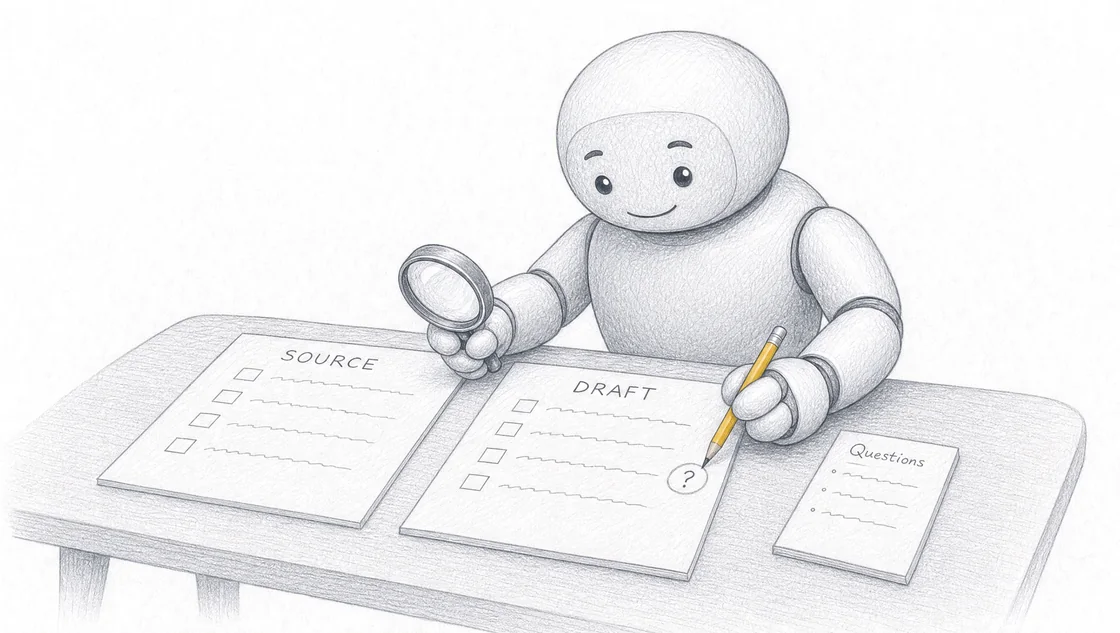
Your front desk answers the same questions all week. New patient asks about availability. Someone wants to know what a first appointment costs. Another asks whether you treat their condition. Each reply gets typed from scratch, between phone calls, while someone waits at reception. You build an AI enquiry workflow by writing five inputs, Context, Task, Source, Rules and Output, for one repeated booking or admin reply, then checking every draft against the clinic information you supplied. We build training around your business tasks, source material and the output you need, and you check the output against the information your business supplied. Bring one task that wastes your time and leave with a workflow you can use again next week.
Key takeaways
- An enquiry workflow captures the first patient contact whenever it arrives 1 and drafts the booking reply without a staff member transcribing it. 2
- Five inputs, Context, Task, Source, Rules and Output, turn one repeated clinic reply into instructions your practice can run again.
- A named person tests the workflow on a safe example and checks each draft against your source material. Clinicians stay responsible for reviewing, editing and approving every note, while the manual effort of creating the first draft drops. 3
- Drafting replies is not claim work. Insurance depends on approved claim material, verified extraction, payer configuration, staff authorisation and external claim channels. 4
- Private onsite training is scoped around your team's tasks, location and experience, with a fixed quote after a conversation. Teams elsewhere can travel to the Sunshine Coast for our public workshop.
What is an AI enquiry workflow in an allied health practice?
An AI enquiry workflow is a set of written instructions that turns an incoming patient enquiry into a drafted reply your team checks and sends. AI can draft replies, booking confirmations and admin documents from information you supply. A person checks the work before it reaches a patient.
The wider idea is patient journey automation: software that captures a patient's first enquiry, books the appointment, keeps the record connected in the practice-management system, and carries the visit through claims and follow-up without staff re-entering data at each step. 5 Most AI tools sold to allied health clinics automate a single slice of that journey. 6 7
The enquiry slice is where a small practice feels the pressure first. The first patient contact is captured whenever it arrives 1 and the booking is made without a staff member transcribing anything. 2
We teach business owners and teams how to use AI on the work their business repeats. That means your enquiries, your fee list, your appointment types.
Which clinic enquiries should you draft with AI first?
Start with the reply you write most often and dislike most. New patient enquiry about availability and fees. Referral acknowledgement. Rescheduling. Booking follow-up. Pick a specific piece of work: a reply to one enquiry type, using one appointment list and one fee schedule. Bring the information needed for that task.
Your business task determines the training example. We help you build and test a workflow you can use again, so the example you choose is the example you keep.
Choosing the first task also shows the practice manager where the operation is leaking time or money. 8 Count how many times a week the reply gets written and how long it takes. That number tells you which enquiry to start with.
How do you write the five inputs for a booking or admin reply?
You write five short blocks, in order: Context, Task, Source, Rules and Output.
Context describes the business, customer and situation. Your clinic name, your discipline, who the patient is, what stage of contact this is.
Task names the job the AI assistant needs to do. Draft a reply to a new patient enquiry. Not "help with admin".
Source supplies the notes, documents or approved facts for that job. Your fee schedule, your appointment types, your practitioner availability, your standard new patient information.
Rules set the limits and identify missing information to flag. Keep supplied prices unchanged. Flag a missing referral date rather than guessing it. Do not promise an appointment time that is not in the list you supplied.
Output describes the format and information the finished draft needs to contain. An email of four short paragraphs, with the appointment options, the fee, what to bring and one clear next step.
Written once, those five inputs become instructions you run again on the next enquiry. Write them before you paste in your source material.
What clinic information should the AI draft from?
The AI drafts from your own notes, templates and rules, and nothing else. If a fact is not in the source you supplied, it does not belong in the reply.
Inputs to a patient journey system include approved photos, screenshots, scans, PDFs, manual uploads and connected practice records, with Cliniko as the first design-partner path. 9 Approved context moves between authorised workflows without making a patient repeat it. 10 The same discipline applies to a prompt you write yourself: approved material in, drafted reply out.
For an enquiry workflow, gather the current fee schedule, the appointment types and durations, practitioner availability, your new patient information sheet and your standard wording for referrals and cancellations. We help your team agree on the source material, instructions and review process for a repeated task, so everyone drafts from the same version.
How do you check an AI draft before it reaches a patient?
You compare the draft against the source you supplied, line by line, before anyone sends it. Check names, dates, figures and claims against your source. Recalculate any total. Confirm the draft answers what the patient asked and stays inside your scope. The person responsible for the work approves the final version.
Clinicians remain responsible for reviewing, editing and approving every note, while the manual effort required to create the initial draft is reduced. 3 The reply your patient reads is still your clinic's reply.
Watch the boundary between workflows. Two products can share approved context while each keeps its own authorisation boundary, so a patient chat never turns into a filed claim on its own. 11 In your own practice, that means a drafted enquiry reply stays a drafted enquiry reply until a named person approves it.
Participants in our sessions test the workflow on a safe example and check the result against their source material. You see where the draft holds and where it needs your rules tightened.
Where does an enquiry workflow stop and claims or clinical work begin?
An enquiry workflow stops at the drafted reply. It does not file anything.
Claim preparation can begin from approved documents or system records without turning a public chat into an insurer-submission channel. 12 Insurance work is different: it depends on approved claim material, verified extraction, payer configuration, staff authorisation and external claim channels. 4 None of those live inside a prompt that drafts a booking email.
The direction of travel is a connected history with explicit boundaries, not an unattended conversational agent deciding coverage or filing a claim from chat. 13 Write those boundaries into your Rules block. Name what the assistant drafts, name what it flags for a person, and name what it never touches.
What do published reports say about AI-assisted clinic documentation?
Published clinic results report reduced documentation time and faster note completion. At OrthoLoneStar, clinicians using Ambient Notes reduced after-hours documentation time by 36 percent, increased same-day encounter close rates by 12 percent and saved an average of 3.6 minutes per patient encounter, more than an hour each day for a clinician seeing 20 patients. 14 At Springfield Clinic, one physician increased same-day note completion from fewer than 10 percent of visits to nearly every encounter while creating enough additional patient capacity to offset the cost of the technology by seeing just two or three more patients each day. 15
The mechanism is the same one you use in an enquiry workflow. Ambient documentation listens to the conversation and generates a structured draft note, so clinicians engage more naturally with patients and take fewer manual notes during the visit. 16 An AI-assisted workflow reduces duplication by using information captured during the visit to help support documentation and coding. 17
We have built the same kind of workflow outside health. We helped automate Radiant Roof Repairs' internal processes using AI. We used AI to automate SEO, enquiries and admin for Glen House Homoeopathy. In our own business, Searchmaxxed, we built AI workflows for creating blog posts, doing SEO and preparing custom proposals.
How does your team agree on one shared enquiry workflow?
Your team agrees by building one workflow together, on one task, in one session. Two receptionists writing two different prompts produce two different replies. One agreed set of five inputs produces one.
Our public Sunshine Coast workshop gives you a full day to put AI to work across your business. You build on your own laptop with hands-on help, and you keep the instructions and the example you tested during the session.
| Detail | Public Sunshine Coast workshop |
|---|---|
| Duration | A full day, then open one-to-one time |
| Delivery | In person on the Sunshine Coast |
| Ticket price | A$495 excluding GST per person |
| Group size | Maximum 15 paid attendees |
| Focus | Using AI across your business |
| Bring | Laptop, charger and safe examples of your work |
| Included | Hands-on help, the setups you build and the instructions you keep |
| Date | Wednesday 7 October 2026, 9am to 4pm |
| Exact venue | Avani Mooloolaba Beach Hotel, The Cove room, Mooloolaba |
| Current enquiry | Register now |
Details and registration sit on our workshop page.
Where can an allied health team get hands-on help building this workflow?
We bring private AI training to your workplace, and we scope it around your team's tasks, experience and location. Private training takes place at the team's workplace. Each person brings the laptop they will use afterwards, and tool and account requirements are confirmed during scoping.
Private onsite AI training is available on the Sunshine Coast and in Brisbane, Gold Coast, Ipswich, Noosa, Moreton Bay, Logan, Redlands, Toowoomba and Gympie. Sunshine Coast onsite training covers Maroochydore, Caloundra, Mooloolaba, Buderim, Birtinya, Nambour and Coolum. Sessions are scoped for roughly 4 to 20 people, and larger teams can be split across sessions.
After your enquiry, we discuss your team's tasks, location and experience. We agree on the training scope and prepare a fixed quote. Team size, session length and travel determine the price. Request a team quote.
People from other areas can travel to the Sunshine Coast public workshop instead. We work with teams across industries, including roofing, plumbing and electrical, real estate and accounting and bookkeeping.
Frequently asked questions
Who is a hands-on AI workshop like this for?
Business owners and teams, across industries. We teach them how to use AI on the work their business repeats. For a clinic, that is the practice owner, the practice manager and the front-desk staff who write the same replies every week.
Do you need technical experience to build an enquiry workflow?
No. You build on your own laptop with hands-on help. The method is five written inputs: Context, Task, Source, Rules and Output. If you can describe your clinic, name the job and paste in your fee list, you can write them.
What kind of clinic task should you bring to a session?
Bring the work you want AI to handle with a safe example attached. Your business task determines the training example, so choose the reply or document you write most often. Participants test the workflow on a safe example and check the result against their source material, which means you need real source material you are comfortable working with in the room.
What does the A$495 workshop ticket include?
A$495 excluding GST per person covers a full-day in-person session on the Sunshine Coast, hands-on help, the setups you build and the instructions you keep.
| Detail | Public Sunshine Coast workshop |
|---|---|
| Duration | A full day, then open one-to-one time |
| Delivery | In person on the Sunshine Coast |
| Ticket price | A$495 excluding GST per person |
| Group size | Maximum 15 paid attendees |
| Focus | Using AI across your business |
| Bring | Laptop, charger and safe examples of your work |
| Included | Hands-on help, the setups you build and the instructions you keep |
| Date | Wednesday 7 October 2026, 9am to 4pm |
| Exact venue | Avani Mooloolaba Beach Hotel, The Cove room, Mooloolaba |
| Current enquiry | Register now |
Where does the training take place?
Private onsite AI training is available on the Sunshine Coast and in Brisbane, Gold Coast, Ipswich, Noosa, Moreton Bay, Logan, Redlands, Toowoomba and Gympie. Sunshine Coast onsite training covers Maroochydore, Caloundra, Mooloolaba, Buderim, Birtinya, Nambour and Coolum.
Is this an online AI course?
No. We bring private AI training to your workplace, and private training takes place at the team's workplace.
How is this different from following free AI tutorials?
You leave with a working artefact instead of a general idea. We help you build and test a workflow you can use again, and you keep the instructions and the example you tested during the session.
Can you arrange private AI training for a whole clinic team?
Yes. We scope private training around your team's tasks, experience and location. A fixed quote follows a conversation about those three things.
What does an AI-assisted clinical workflow look like beyond enquiries?
Beyond enquiries, AI-assisted workflows cover documentation and record review. Ambient documentation listens to the conversation and generates a structured draft note, so clinicians engage more naturally with patients and take fewer manual notes during the visit. 16 Surfacing relevant information from prior encounters, outside records, medications, procedures and recent clinical events helps create a more complete, longitudinal view of the patient. 18
Sources
- Patient Journey Automation for Allied Health Clinics, End to End - Vascuehttps://www.vascue.io/blog/end-to-end-patient-journey-automation-allied-health
- Patient Journey Automation for Allied Health Clinics, End to End - Vascuehttps://www.vascue.io/blog/end-to-end-patient-journey-automation-allied-health
- AI-Assisted Clinical Workflow - Athenahealthhttps://www.athenahealth.com/resources/blog/what-ai-assisted-clinical-workflows-look-like
- Patient Journey Automation for Allied Health Clinics, End to End - Vascuehttps://www.vascue.io/blog/end-to-end-patient-journey-automation-allied-health
- Patient Journey Automation for Allied Health Clinics, End to End - Vascuehttps://www.vascue.io/blog/end-to-end-patient-journey-automation-allied-health
- Patient Journey Automation for Allied Health Clinics, End to End - Vascuehttps://www.vascue.io/blog/end-to-end-patient-journey-automation-allied-health
- Patient Journey Automation for Allied Health Clinics, End to End - Vascuehttps://www.vascue.io/blog/end-to-end-patient-journey-automation-allied-health
- Patient Journey Automation for Allied Health Clinics, End to End - Vascuehttps://www.vascue.io/blog/end-to-end-patient-journey-automation-allied-health
- Patient Journey Automation for Allied Health Clinics, End to End - Vascuehttps://www.vascue.io/blog/end-to-end-patient-journey-automation-allied-health
- Patient Journey Automation for Allied Health Clinics, End to End - Vascuehttps://www.vascue.io/blog/end-to-end-patient-journey-automation-allied-health
- Patient Journey Automation for Allied Health Clinics, End to End - Vascuehttps://www.vascue.io/blog/end-to-end-patient-journey-automation-allied-health
- Patient Journey Automation for Allied Health Clinics, End to End - Vascuehttps://www.vascue.io/blog/end-to-end-patient-journey-automation-allied-health
- Patient Journey Automation for Allied Health Clinics, End to End - Vascuehttps://www.vascue.io/blog/end-to-end-patient-journey-automation-allied-health
- AI-Assisted Clinical Workflow - Athenahealthhttps://www.athenahealth.com/resources/blog/what-ai-assisted-clinical-workflows-look-like
- AI-Assisted Clinical Workflow - Athenahealthhttps://www.athenahealth.com/resources/blog/what-ai-assisted-clinical-workflows-look-like
- AI-Assisted Clinical Workflow - Athenahealthhttps://www.athenahealth.com/resources/blog/what-ai-assisted-clinical-workflows-look-like
- AI-Assisted Clinical Workflow - Athenahealthhttps://www.athenahealth.com/resources/blog/what-ai-assisted-clinical-workflows-look-like
- AI-Assisted Clinical Workflow - Athenahealthhttps://www.athenahealth.com/resources/blog/what-ai-assisted-clinical-workflows-look-like